Optimizing Low Content Publishing with KDP Dot Grid Paper 90 Interiors
The landscape of self-publishing has shifted dramatically toward efficiency and niche specialization, particularly within the low and no-content book market. For creators managing a portfolio of journals, notebooks, and planners, the technical specifications of interior files are just as critical as the cover design. Utilizing a standardized resource like KDP Dot Grid Paper 90 provides a foundational element that streamlines production while meeting the rigorous quality standards expected by Amazon’s printing network. This specific interior template serves as more than just a background pattern; it is a strategic asset designed to reduce formatting errors, ensure consistency across series, and accelerate the time-to-market for new titles.
Technical Specifications and Print Quality Standards
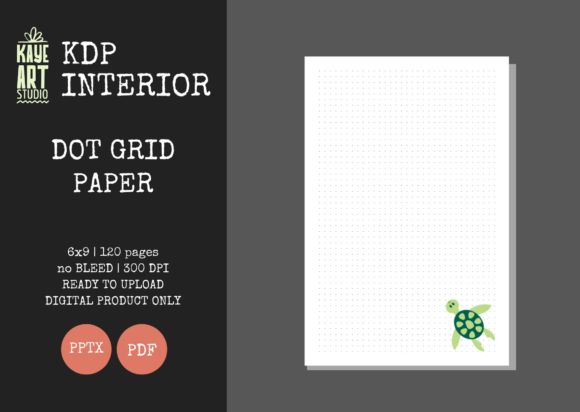
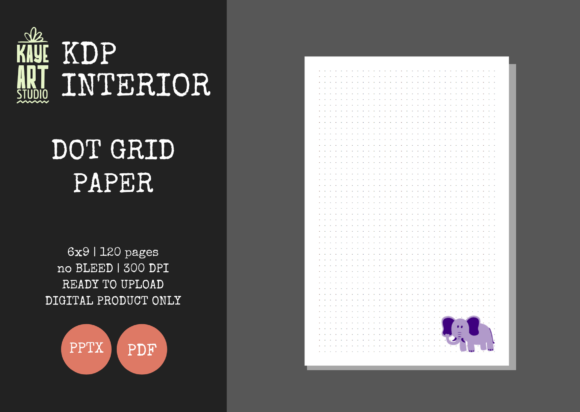
Understanding the precise technical parameters of this interior file is essential for avoiding common publishing pitfalls. The KDP Dot Grid Paper 90 template is engineered specifically for the 6x9 inch trim size, which remains the industry standard for trade paperbacks and portable journals. This dimension offers an optimal balance between portability and writable surface area, making it a versatile choice for various end-users ranging from students to professionals.
A defining characteristic of this file is the NO BLEED setting. In KDP terminology, bleed refers to content that extends beyond the edge of the page. By utilizing a no-bleed configuration, the dot grid pattern maintains a consistent safety margin around all four sides of the page. This prevents the dots from being trimmed off during the binding process and ensures that users have adequate space for hole punching or binding without obstructing the writing area. For publishers, this eliminates the risk of rejection due to margin violations, a frequent issue when uploading custom-designed interiors.
The file resolution is set at 300 DPI (dots per inch), which is the mandatory threshold for high-quality print reproduction. While digital screens may display lower-resolution images adequately, physical printing requires this density to prevent pixelation or blurring. The dots in this template are crisp and distinct, ensuring that the guide marks serve their intended purpose without appearing muddy or faded on standard white paper stock. Furthermore, the inclusion of both PDF and PPTX formats addresses different workflow needs. The PDF serves as the final, upload-ready master file that has been pre-tested for KDP compatibility, while the PowerPoint file allows for granular customization without requiring expensive graphic design software.
Strategic Advantages of Editable Source Files
The provision of an editable PowerPoint file distinguishes this resource from static PDF-only alternatives. For serious KDP business owners, flexibility is paramount. While the base KDP Dot Grid Paper 90 file is ready for immediate upload, the PPTX version enables creators to modify the interior to suit specific niches. This might involve adding a title page, inserting motivational quotes at regular intervals, creating index sections, or adjusting the opacity of the dots for specialized uses like bullet journaling where lighter guidelines are preferred.
This editability supports brand differentiation in a saturated market. Rather than publishing identical interiors that compete solely on price, publishers can use the source file as a skeleton to build unique value propositions. For example, an educator could add lesson planning headers to the dot grid pages, transforming a generic notebook into a specialized teacher’s planner. A fitness coach could integrate workout tracking tables. The underlying grid structure remains consistent, preserving the professional layout, while the added elements target specific customer intent. This approach aligns with modern SEO best practices for product listings, as unique interiors justify unique keywords and categories.
Diverse Applications Across User Demographics
The utility of a dot grid format extends far beyond simple note-taking. Unlike lined paper, which dictates horizontal text flow, or blank paper, which offers no structural guidance, dot grids provide a non-intrusive framework that supports multidirectional content. This versatility makes KDP Dot Grid Paper 90 suitable for a remarkably broad audience spectrum.
- Bullet Journaling Community: This demographic represents a significant portion of the dot grid market. They require precise spacing for creating custom calendars, habit trackers, and mood logs. The consistent dot spacing facilitates neat layouts without the visual clutter of full grid lines.
- STEM Students and Researchers: Mathematics, engineering, and science students often need to draw graphs, diagrams, and geometric shapes. Dot grids offer reference points for straight lines and curves while allowing freeform annotation alongside calculations.
- Designers and Architects: For sketching wireframes, floor plans, or UI mockups, dot grids provide scale and proportion guidance. Professionals appreciate the subtlety of dots over heavy graph lines, which can interfere with detailed pencil work or ink rendering.
- Creative Writers and Planners: Many writers prefer dot grids for mind mapping and storyboarding. The open structure encourages non-linear thinking and brainstorming, supporting creative processes that rigid lined paper can stifle.
- Handwriting Practice and Calligraphy: The uniform spacing acts as a guide for letter sizing and consistency, making these journals valuable tools for adults practicing penmanship or learning new scripts.
Workflow Integration and Upload Readiness
Efficiency in KDP publishing is measured by the reduction of friction between creation and publication. The KDP Dot Grid Paper 90 package is explicitly marketed as "Ready for Upload" and "Tested on KDP." This validation is crucial because Amazon’s automated review system can be unforgiving regarding file dimensions, color profiles, and margin settings. Using a pre-validated template mitigates the risk of receiving error messages that require troubleshooting and re-uploading.
For publishers managing multiple SKUs, this reliability enables batch processing. When the interior file is known to be compliant, the focus shifts entirely to cover design and metadata optimization. It is important to note that this listing covers the INTERIOR ONLY. Publishers must create their own covers, which should be calculated based on the exact page count of 120 pages. The spine width for a 120-page 6x9 book on white paper is a fixed metric; using this standardized interior ensures that cover templates remain accurate across the entire series. This separation of interior and cover assets allows for modular publishing strategies where one validated interior can be paired with dozens of different covers to test market preferences rapidly.
Considerations for Professional Implementation
While the KDP Dot Grid Paper 90 template offers significant advantages, successful implementation requires attention to detail. Publishers should verify their manuscript settings in the KDP dashboard match the file specifications exactly: 6x9 trim size, no bleed, and white paper. Selecting cream paper or altering the bleed setting after uploading this specific file will result in formatting errors. Additionally, while the PowerPoint file offers editability, users should maintain the original slide size and avoid moving the master grid layer unless they fully understand margin constraints.
Quality assurance remains the publisher's responsibility even with tested files. Before ordering bulk author copies or launching marketing campaigns, it is advisable to order a single proof copy to physically inspect the dot opacity, paper brightness, and binding alignment. Physical verification ensures that the digital preview matches the tangible product experience. This step is particularly important for dot grid journals, as the visibility of the dots can vary depending on lighting conditions and individual preference. Some users prefer darker dots for high contrast, while others seek faint guides that disappear under ink; understanding where this specific template falls on that spectrum helps in writing accurate product descriptions and managing customer expectations.
Furthermore, the 120-page count is a strategic sweet spot for this trim size. It provides sufficient volume for months of daily use while keeping the book thin enough to remain portable and cost-effective to print. Thicker books increase printing costs and shipping weight, potentially eroding royalties, while thinner books may perceive as lacking value. This page count balances perceived value with economic viability, supporting healthy profit margins even at competitive price points. When combined with the editable nature of the source files, this template represents a comprehensive solution for building a sustainable, scalable low-content publishing business that prioritizes quality and user experience over mere volume.