KDP Sketchbook Pink: A Practical Guide to Interior Quality and Upload Success
Creating a low-content book for Amazon KDP often feels like a race to publish, but the difference between a bestseller and a returned product usually lies in the technical details of the interior. When creators search for a KDP Sketchbook Pink aesthetic, they are typically looking for a specific vibe that appeals to journalers, artists, and note-takers who prefer softer, warmer tones over stark white or clinical gray. However, finding a pink-themed interior is only the first step. The real challenge—and where most publishing errors occur—is ensuring that the file specifications align perfectly with Amazon’s printing requirements.
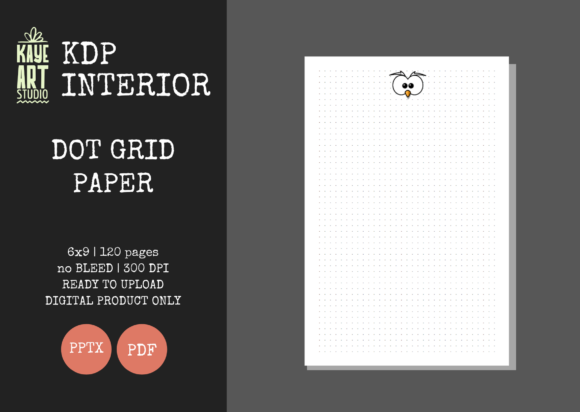
This guide focuses on the practical application of pre-made interiors specifically designed with a 6×9 inch trim size, bleed settings, and 120 pages at 300 DPI. Understanding these parameters is not just about following rules; it is about protecting your reputation as a publisher and ensuring your customers receive a professional-grade sketchbook.
The Critical Distinction Between Interior and Cover Files
One of the most frequent misunderstandings among new KDP publishers involves the scope of what they are acquiring. It is vital to recognize that listings for a KDP Sketchbook Pink interior are exactly that: interiors only. You must create or commission a separate cover file. This distinction matters because the interior and cover have different dimensional requirements.
A common mistake is attempting to use the interior PDF as a full manuscript or assuming the pink background extends to the cover. The interior file provided (typically in PDF or PNG format) is formatted strictly for the 6×9 page block. Your cover must be calculated separately based on page count and paper thickness. If you upload an interior file expecting it to include wraparound cover art, your submission will be rejected, or worse, printed incorrectly. Always treat the interior and cover as two distinct projects that must meet in the final binding stage.
Navigating Bleed Settings Without White Borders
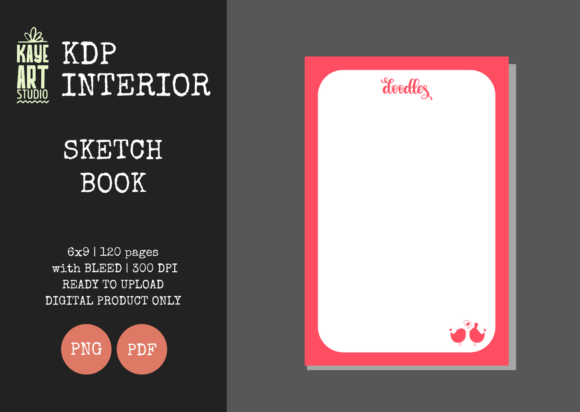
Bleed is perhaps the most technical aspect of sketchbook design, and it is where many "pink aesthetic" books fail visually. If your chosen KDP Sketchbook Pink interior features color, patterns, or frames that touch the edge of the page, you must select the Bleed option during the KDP upload process. This setting tells the printer to trim the paper slightly beyond the designated 6×9 size to ensure no unprinted white margins appear.
Conversely, if the interior has a safe margin and no elements extend to the edge, you must select No Bleed. Selecting "Bleed" for a non-bleed file can result in crucial content being trimmed off. Selecting "No Bleed" for a bleed file results in an unwanted white border around your pink design. Before uploading, open your PDF and measure the canvas size. A true bleed file for a 6×9 book should measure approximately 6.125 x 9.25 inches. If your file measures exactly 6x9 but contains edge-to-edge graphics, it is technically incorrect for bleed printing and needs adjustment.
Resolution Standards: Why 300 DPI Matters for Print
Digital screens are forgiving; print is not. A fuzzy or pixelated pink texture might look acceptable on a monitor at 72 DPI, but it will appear muddy and unprofessional in physical form. High-quality KDP interiors are standardized at 300 DPI (dots per inch). This resolution ensures that lines are crisp and gradients are smooth.
Avoid the temptation to upscale a low-resolution image using basic software. Artificially increasing the pixel count does not add detail; it merely stretches existing pixels, resulting in a blurry print. When evaluating a KDP Sketchbook Pink resource, verify the source file's native resolution. If you are designing your own elements to composite into the interior, always work at 300 DPI from the start. For sketchbooks specifically, line quality is paramount. Users expect to draw on these pages, and printing artifacts can interfere with their creative experience.
Page Count and Binding Limitations
The standard 120-page count mentioned in many interior listings is not arbitrary. It strikes a balance between perceived value and printing cost. However, publishers sometimes mistakenly believe they can arbitrarily add or remove pages without consequence. While digital files are editable, altering the page count changes the spine width calculation for your cover.
If you decide to duplicate pages to create a 200-page version or delete pages to make a thinner 80-page notebook, you must recalculate your cover dimensions. Using a cover template designed for 120 pages on a modified interior will lead to misalignment where the front and back covers do not match the trimmed block. Stick to the tested 120-page format unless you are prepared to regenerate your entire cover template. Consistency between the interior file metadata and the physical specifications is non-negotiable for a seamless user experience.
File Format Verification Before Upload
While listings may offer both PNG and PDF formats, PDF is generally the superior choice for multi-page interiors. PNGs are excellent for single images or covers, but compiling 120 individual PNGs into a book can introduce spacing errors and increase file size unnecessarily. A flattened, high-quality PDF preserves layout integrity.
Before hitting publish, perform a mandatory pre-flight check:
- Open the PDF in a professional viewer: Do not rely solely on browser previews, which can render fonts and colors inaccurately.
- Check Color Profile: Ensure the file is in CMYK or RGB as per current KDP guidelines (KDP converts RGB to CMYK, but knowing your profile helps predict color shifts in pink hues).
- Verify Margins: Ensure no critical design elements fall within the inner gutter safety zone, which varies by page count.
- Test Print: Always order a proof copy. Colors on screen never perfectly match ink on paper, especially with pastel pinks which can shift toward magenta or beige depending on the printer calibration.
Evaluating Usability for the End User
Finally, consider the functionality behind the aesthetic. A KDP Sketchbook Pink should not sacrifice utility for style. Dark or overly saturated pink backgrounds can make writing or sketching difficult. Professional interiors use lighter tints or confine bold colors to borders and headers, leaving ample negative space for the user’s content.
When selecting or designing your interior, ask yourself if the pink elements enhance the drawing experience or distract from it. Test the contrast. Can graphite and colored pencil show up clearly against the background? Is the paper opacity sufficient to prevent bleed-through if the design is heavy? Remember that KDP standard paper is 55# (90 GSM). Heavy ink coverage on both sides of a page can cause transparency issues. By prioritizing usability alongside visual appeal, you create a product that earns positive reviews and repeat customers rather than complaints about impractical design choices.
Success in low-content publishing comes from mastering these technical foundations. By respecting bleed settings, maintaining resolution standards, distinguishing between interior and cover files, and prioritizing user experience, you transform a simple digital download into a professional physical product. Take the time to validate every specification before upload; your future readers will appreciate the attention to detail.