KDP Dot Grid Paper 36: Streamlining Interior Production for Low Content Publishers
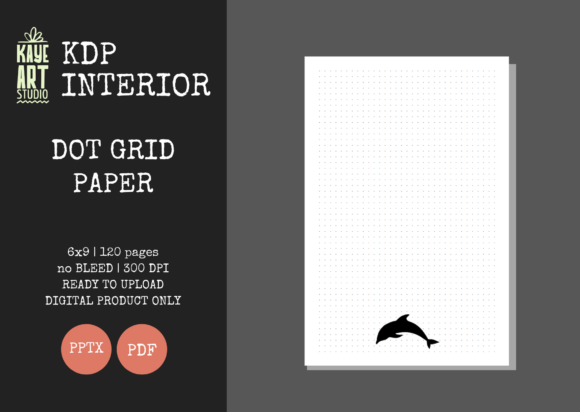
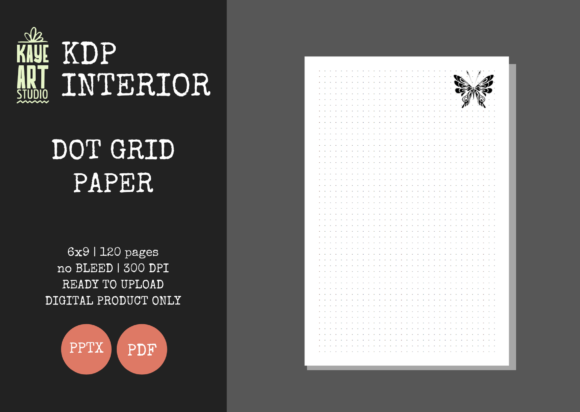
For Amazon KDP publishers focusing on low and no-content books, the interior file is often the bottleneck between a concept and a live listing. KDP Dot Grid Paper 36 serves as a specialized production asset designed to eliminate technical friction during the publishing workflow. This resource provides a pre-formatted, 120-page dot grid journal tailored specifically for the 6×9 inch trim size with no bleed settings. By integrating this ready-made interior into your publishing process, you shift focus from repetitive formatting tasks to strategic niche research, cover design, and keyword optimization.
The utility of this asset extends beyond simply having a file to upload. It functions as a standardized component within a broader business system. Whether you are launching a new brand of productivity journals or expanding an existing catalog, understanding how to leverage this specific interior format ensures consistency, reduces quality control errors, and accelerates time-to-market. The inclusion of both PDF and editable PPTX formats allows for flexibility across different stages of product development, making it suitable for both rapid deployment and customized iterations.
Technical Specifications and Workflow Integration
Successful KDP publishing relies on precise adherence to technical specifications. KDP Dot Grid Paper 36 is engineered to meet these requirements out of the box, reducing the risk of rejection during the automated review process. The file is configured for a 6×9 inch trim size, which remains one of the most popular dimensions for journals due to its portability and perceived value. Crucially, this interior utilizes no bleed settings. This distinction is vital for workflow efficiency; no-bleed interiors require less margin management and are generally more forgiving during the printing process compared to full-bleed designs that extend to the page edge.
The 120-page count strikes a practical balance for this category. It provides sufficient space for users to perceive the book as a substantial tool while keeping printing costs low enough to maintain healthy royalty margins. At 300 DPI, the resolution meets professional print standards, ensuring that the dot grid appears crisp rather than pixelated. When integrating this into your workflow, treat the provided PDF as your master production file. The high-resolution source ensures that even if you make minor adjustments, the output quality remains consistent with industry benchmarks.
Leveraging the Editable PPTX File
While the PDF is ready for immediate upload, the included PowerPoint (PPTX) file transforms this asset from a static template into a dynamic production tool. In a scalable publishing business, customization is key to differentiation. The editable source file allows you to modify the interior without needing advanced graphic design software like Adobe InDesign or Affinity Publisher.
- Branding Integration: Add a subtle logo, website URL, or copyright notice to the first or last page to build brand recognition across your catalog.
- Niche Adaptation: Modify the header or footer to include niche-specific prompts, quotes, or tracking elements that align with your cover design and target audience.
- Series Consistency: Create a master template based on this file to ensure all journals in a series share identical margins, grid spacing, and typography.
- A/B Testing Preparation: Quickly generate variations of the same interior to test different value-adds, such as adding an index page or a habit tracker at the front of the book.
This editability supports a modular workflow. Instead of designing a new interior for every single SKU, you can maintain a library of base templates derived from KDP Dot Grid Paper 36, significantly reducing production time per title.
Strategic Application Across Business Phases
This dot grid interior fits into multiple phases of the KDP business lifecycle, serving different functions depending on your current objectives. Understanding where to deploy this asset maximizes its return on investment.
Pre-Launch Validation and Prototyping
Before committing to a custom-designed interior, use this standard dot grid format to validate market demand. During the research phase, you may identify a potential niche but remain uncertain about user preferences regarding layout complexity. Launching with a clean, standard dot grid allows you to test the niche's viability with minimal upfront effort. If the title gains traction, you can later invest in a premium, custom interior. If it does not, your sunk cost remains low. This approach aligns with lean startup methodologies applied to self-publishing, where speed of iteration matters more than initial perfection.
Catalog Expansion and Scaling
For established publishers, KDP Dot Grid Paper 36 acts as a scaling mechanism. When expanding into adjacent niches—such as moving from general mindfulness journals to specific profession-based planners like nursing or teaching—the interior structure often remains constant while the cover and metadata change. Using a verified, pre-tested interior eliminates variables during expansion. You can batch-create listings knowing that the interior file will pass review, allowing you to focus energy on writing compelling descriptions and designing high-conversion covers.
Post-Publication Quality Assurance
Even after publication, this asset plays a role in maintenance. Because the files have been tested on KDP, they serve as a benchmark for troubleshooting. If you encounter issues with other interiors in your catalog, comparing their settings against this known-good file can help isolate whether the problem lies in margin settings, color profiles, or file corruption. Maintaining a "control" interior in your asset library is a best practice for long-term account health and operational stability.
Compatibility and Ecosystem Considerations
Integrating this interior requires awareness of how it interacts with other elements of your publishing ecosystem. The "interior only" nature of this listing means your cover design workflow must be synchronized with these specific dimensions.
Cover Design Alignment: Since this is a no-bleed interior, your cover must account for the correct spine width calculated for 120 pages on white paper. Using a cover template generator is essential, but always verify the spine calculation matches the actual page count of this specific file. A mismatch here is a common cause of printing errors. Furthermore, because the interior is minimalist, your cover carries the weight of communicating value. Ensure the cover aesthetic matches the clean, functional nature of the dot grid inside to avoid customer disappointment.
Software Compatibility: While the PPTX file offers flexibility, ensure your version of PowerPoint or alternative software (like Keynote or LibreOffice) preserves the slide size and margins upon opening. Always export your final edited version as a PDF and check it in the KDP Previewer before publishing. Font embedding is another critical factor; if you add text using the editable file, ensure fonts are embedded or converted to outlines to prevent substitution errors during printing.
Practical Implementation Tips for Efficiency
To maximize the effectiveness of KDP Dot Grid Paper 36, consider these operational best practices:
- Establish a Naming Convention: Rename the downloaded files immediately to reflect your internal SKU or project code (e.g., DG-6x9-120-NB-Mindfulness-v1.pdf). This prevents confusion when managing hundreds of assets.
- Create a Proof Copy Protocol: Even though the file is tested, always order a physical proof for your first use of this interior. Verify the dot opacity and spacing physically, as screen rendering differs from print output. Document the results so future titles using this base don't require repeated proofs.
- Metadata Synchronization: When listing a book using this interior, accurately describe the contents. Specify "120 pages," "6x9 inch," and "dot grid" in the description. Transparency reduces returns and negative reviews from customers expecting lined paper or blank pages.
- Batch Processing: If using the PPTX file to create variations, set up a production day dedicated solely to interior modifications. Batch-exporting PDFs is more efficient than switching between design and administrative tasks repeatedly.
Long-Term Asset Management
Treating KDP Dot Grid Paper 36 as a permanent fixture in your digital asset library yields compounding benefits. Over time, you build a repository of reliable interiors that insulate your business from platform changes or designer availability. Keep the original, unmodified files archived separately from your working copies. This ensures you always have a pristine source to return to if a working file becomes corrupted or if KDP updates its submission guidelines.
Furthermore, track the performance of books using this specific interior versus custom alternatives. Analyze sales data to determine if the standard dot grid performs equally well in certain niches. This data-driven approach informs future purchasing and design decisions, helping you allocate resources toward interiors that genuinely drive revenue rather than those that merely look impressive. Ultimately, this asset is about operational maturity—moving from ad-hoc creation to systematic publishing where quality, speed, and scalability coexist.